
Odoo Version Upgrade
Discover with AI
Ask for product details, compare alternatives, and get intelligent buying recommendations instantly.
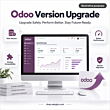
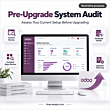

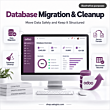
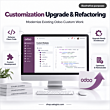



- Published upgrade packages — Basic, Bronze, and Gold with clear prices, timelines, and scope limits.
- Community & Enterprise — Upgrade paths for both editions, including moves to Odoo 18 or 19.
- Custom modules & integrations — Port and re-test approved custom code and connectors before go-live.
- Staging before production — Backup planning, staging upgrade, UAT, and rollback checkpoints before cutover.
- Defined hypercare — 14 / 30 / 45 days post-upgrade bug support for approved scope, by package.

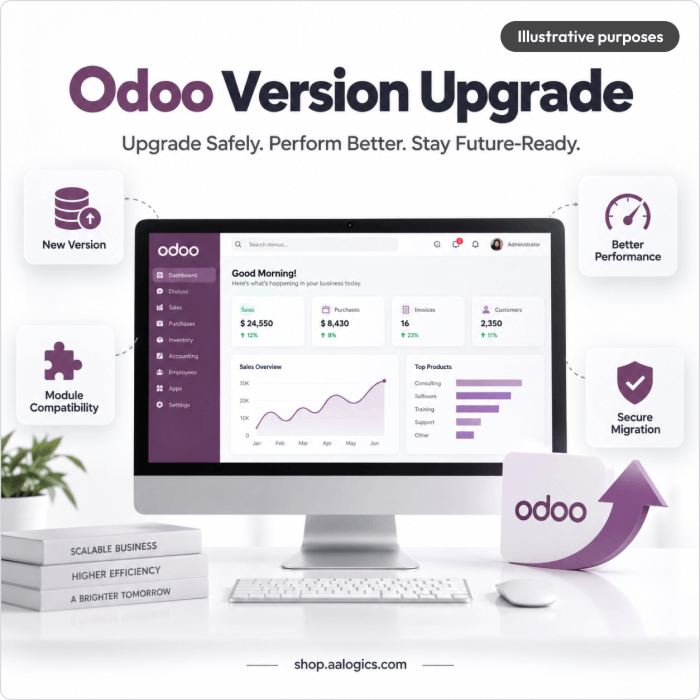
Upgrade Odoo Community or Enterprise to a current release — including Odoo 18 or 19 — while keeping your data, custom modules, third-party apps, integrations, and business workflows working.
Upgrade Highlight
Move to a Supported Odoo Release Keep the business logic your teams rely on while moving to Odoo 18, 19, or another agreed target version — without rebuilding your ERP from scratch.
Upgrade Assurance
Backup. Staging. Then Production. We upgrade a test environment first, validate custom modules, workflows, reports, and integrations, and plan backup/rollback before the final cutover.
ODOO UPGRADE AUDIT
Is Your Current Odoo Version Becoming a Business Risk?
The longer you stay behind, the harder custom modules, third-party apps, and integrations become to move. A structured upgrade finds those issues in staging — not during a live cutover.
Aging or Unsupported Release
Older versions lose security coverage and can face higher long-term subscription or maintenance cost. Waiting usually makes the next upgrade larger.
Custom Module Breakage
Custom Python, views, reports, JavaScript, or OWL code often needs adaptation before it runs cleanly on the target version.
Third-Party App Gaps
Marketplace or vendor modules may need newer releases, replacements, or reconfiguration for the target version.
Integration Failures
Payment, ecommerce, logistics, accounting, and other connectors must be re-tested after a major version change.
Multi-Version Gap
Jumping several releases (for example Odoo 14 or 15 to 18/19) multiplies schema, API, and testing work compared with a single-step upgrade.
Unknown Effort & Downtime
Without an audit, teams cannot see real custom-code impact, data risk, or how long production cutover will take.
Not sure whether your database is ready? Start with a scoped technical assessment before committing to the full upgrade.
Get an Odoo Upgrade AssessmentWHAT WE UPGRADE
Complete Odoo Version Upgrade Coverage
Database conversion alone is not enough. We upgrade Community and Enterprise environments and validate the technical and functional layers that must keep working after go-live.
Upgrade & Compatibility
Odoo Database Upgrade
Prepare and transition the existing database to the target Odoo version using the appropriate Odoo-supported upgrade path.
Standard Odoo Applications
Validate core apps and standard workflows used by your organization after the upgraded database is available.
Custom Module Migration
Update custom modules for target-version compatibility, including Python code, models, views, security, reports, JavaScript, and OWL components where applicable.
Third-Party Module Review
Check installed third-party apps for target-version availability, compatibility, replacement needs, or additional redevelopment.
Integration Revalidation
Reconnect and test approved APIs and integrations such as ecommerce, payment, logistics, CRM, ERP, accounting, or external business systems.
Custom Reports & Documents
Validate or adapt approved custom reports, invoice layouts, labels, print templates, and business documents affected by the upgrade.
Validation & Cutover
Automations & Scheduled Jobs
Review server actions, automated actions, cron jobs, queues, notifications, and workflow automation used by the business.
User Roles & Permissions
Validate access rights, record rules, groups, and key user permissions after the upgrade.
Data Validation
Compare critical source and upgraded records, balances, inventory, orders, customers, products, and other agreed datasets.
Functional Workflow Testing
Test important cross-app workflows such as CRM-to-sale, purchasing, inventory, accounting, manufacturing, projects, or ecommerce.
Staging & UAT Support
Provide a controlled upgraded environment for validation and support the agreed user-acceptance testing cycle.
Production Cutover & Hypercare
Plan the final production upgrade, backup/rollback path, go-live validation, and post-upgrade issue resolution.
PACKAGES & PRICING
Choose the Right Odoo Upgrade Package
Published packages with clear scope — not an open-ended quote. Pricing follows upgrade complexity: version gap, custom modules, third-party apps, integrations, data checks, and testing — not company size alone.
Important: prices cover AALogics professional services for assessment, custom-code adaptation, testing, validation, deployment, and hypercare. Odoo licensing, hosting, and third-party fees are separate.
Basic
One major-version step for lightly customized Community or Enterprise setups with limited modules and integrations.
$4,499
Indicative Timeline: 2-4 weeks
Get Started- Pre-upgrade technical assessment and version inventory
- Upgrade plan for one major-version step
- Standard database upgrade coordination
- Compatibility review for installed standard apps
- Adaptation of up to 3 low-complexity custom modules, subject to audit
- Validation of 1 existing external integration
- Staging environment upgrade and smoke testing
- Core data checks for agreed records and business objects
- Validation of key user roles and permissions
- 1 UAT review cycle
- Production cutover checklist and backup verification
- Go-live assistance
- 14 days of post-upgrade bug-fix support for approved scope
Recommended for: smaller or lightly customized Odoo installations moving one major version forward.
Bronze
The most common path — custom workflows, several modules, third-party apps, and integrations validated for Odoo 18/19 or your agreed target.
$8,999
Indicative Timeline: 4-6 weeks
Get Started- Everything in Basic
- Upgrade planning across 1-2 major-version steps
- Custom module compatibility matrix
- Adaptation of up to 8 low/medium-complexity custom modules, subject to audit
- Review and validation of up to 2 existing integrations
- Third-party application compatibility review
- Custom reports, automations, and scheduled-job validation
- Core and key transactional data reconciliation
- Functional testing across agreed cross-app workflows
- 2 UAT review cycles
- Deployment plan with rollback checkpoints
- Go-live validation of critical workflows
- 30 days of post-upgrade stabilization support
Recommended for: businesses where Odoo is central to sales, inventory, accounting, services, operations, or ecommerce.
Gold
Multi-version jumps, heavy customization, multi-company, or high-integration environments. Final scope confirmed after the audit.
$14,999
Indicative Timeline: 6-10+ weeks / confirmed after audit
Get Started- Everything in Bronze
- Upgrade planning for 2+ major-version steps where technically appropriate
- Detailed dependency and risk assessment
- Adaptation of up to 15 low/medium-complexity custom modules, subject to audit
- Validation of up to 4 existing integrations
- Extended custom-report, automation, and workflow compatibility testing
- Broader financial, inventory, sales, purchase, and operational reconciliation where applicable
- Performance and error-log review in the upgraded environment
- 3 UAT review cycles
- Detailed production cutover, fallback, and rollback procedure
- Priority go-live support
- 45 days of post-upgrade stabilization support
Recommended for: older deployments, enterprise or multi-company environments, high-dependency custom systems, multi-department operations, or businesses skipping multiple Odoo releases.
*Custom-module and integration counts are planning limits, not automatic entitlements. A single highly complex module or integration can consume the scope of several simpler items; final inclusion is confirmed during the audit.
COMPARE PLANS
Compare All Odoo Version Upgrade Plans
See exactly what is included in each Odoo upgrade package and choose the right level for your environment.
| Capability | Basic | MOST RECOMMENDED Bronze |
Gold |
|---|---|---|---|
| Pre-upgrade audit | ✓ | ✓ | ✓ |
| Version inventory & dependency review | ✓ | ✓ | ✓ |
| Standard database upgrade coordination | ✓ | ✓ | ✓ |
| Staging upgrade | ✓ | ✓ | ✓ |
| Custom module migration | Up to 3* | Up to 8* | Up to 15* / audited scope |
| Third-party module review | Basic | ✓ | ✓ |
| Existing integration validation | 1* | Up to 2* | Up to 4* / audited scope |
| Custom report validation | Basic | ✓ | ✓ |
| Automation / cron validation | Basic | ✓ | ✓ |
| Data validation | Core | Core + transactional | Extended / custom plan |
| Cross-app workflow testing | Key flows | Defined workflows | Extended / custom |
| User permission review | ✓ | ✓ | ✓ |
| UAT cycles | 1 | 2 | 3 / custom if needed |
| Cutover plan | Standard | Detailed | Detailed + rollback |
| Go-live support | ✓ | ✓ | Priority |
| Post-upgrade bug support | 14 days | 30 days | 45 days |
| Indicative timeline | 2-4 weeks | 4-6 weeks | 6-10+ weeks / after audit |
Not sure which Odoo upgrade package fits?
Share your current Odoo version, custom modules, and integrations — we'll recommend the right package.
DELIVERABLES
What You Receive with an Odoo Upgrade
Upgrade Assessment
Current version, target version, hosting, apps, custom modules, third-party apps, integrations, database considerations, and major risks.
Compatibility Matrix
A clear view of what can move as-is, what requires adaptation, what requires vendor updates, and what may need replacement.
Staging Upgrade
An upgraded non-production environment for technical testing and business validation before go-live.
Custom Module Updates
Approved custom modules updated to work with the target Odoo version within the selected package scope.
Integration Validation
Approved existing integrations reconnected, configured where necessary, and tested against agreed workflows.
Data Validation Checklist
Documented checks for agreed master and transactional data, plus reconciliation items relevant to the business.
Functional Test Results
Validation of agreed workflows across the modules and processes that matter most to daily operations.
UAT Support
Structured support for the agreed number of user-acceptance review cycles.
Cutover & Rollback Plan
Production upgrade steps, backup checkpoints, validation steps, and fallback approach appropriate to the environment.
Go-Live Verification
Post-deployment checks for critical login, workflow, reporting, transaction, and integration paths.
Post-Upgrade Hypercare
A defined support window for defects related to the approved upgrade scope.
TIMELINE
How Long Does an Odoo Version Upgrade Take?
Odoo upgrade timelines depend on the version gap, custom-code volume, third-party apps, integrations, database complexity, UAT availability, and the number of issues found during testing. The following ranges are planning estimates, not guaranteed completion dates.
| Package | Indicative Timeline | Typical Scope |
|---|---|---|
| Basic | 2-4 weeks | One-version step, low customization, limited integrations, responsive UAT. |
| Bronze | 4-6 weeks | Customized workflows, several custom modules, third-party apps, and integration testing. |
| Gold | 6-10+ weeks | Multi-version, enterprise, multi-company, or broader custom code/integration/data validation. Final schedule confirmed after audit. |
Timeline starts after access, target-version scope, required licenses, upgrade path, and project dependencies are confirmed. Delays in third-party vendors, missing source code, unavailable test users, or scope changes can extend the schedule.
SERVICE LIMITATIONS
What May Require Additional Scope
New Feature Development
The upgrade preserves or adapts approved existing functionality. New modules, workflows, dashboards, or major feature requests are estimated separately.
Pre-Existing Data Cleanup
Duplicate records, incorrect configuration, historical inconsistencies, or data-remediation projects are not automatically included in version-upgrade pricing.
Unsupported Third-Party Apps
If a vendor has no compatible target-version release, replacement or redevelopment may require additional scope.
Highly Complex Custom Modules
Custom module counts are planning limits. Large or architecture-heavy modules can require separate estimates after code review.
Edition Changes
Community-to-Enterprise or Enterprise-to-Community work is a separate migration type and is not automatically included in a version-upgrade package.
Hosting Migration
Moving from Odoo.sh to on-premise/cloud, or between infrastructure providers, is separate unless explicitly included.
Legacy ERP Migration
Moving from another ERP into Odoo is not an Odoo version upgrade and requires a dedicated migration scope.
Training & Change Management
End-user training, process redesign, SOP creation, and organization-wide change management are optional services unless included in the proposal.
Licenses & Vendor Fees
Odoo subscriptions, third-party apps, hosting, infrastructure, and external vendor charges are not included in AALogics service pricing.
UPGRADE ASSURANCE
A Controlled Upgrade with Clear Validation Gates
Test Before Production
The upgraded environment is reviewed in staging before the final production cutover.
Custom Code Compatibility
Approved custom modules are reviewed for target-version compatibility instead of assuming database conversion alone is sufficient.
Business Workflow Validation
Testing focuses on the real workflows your teams depend on, not only whether the application starts successfully.
Data Integrity Checks
Agreed business-critical records and balances are compared before and after the upgrade.
Rollback Planning
Production cutover includes backup and fallback checkpoints appropriate to the hosting model.
Documented Scope
Package inclusions, custom modules, integrations, and testing responsibilities are confirmed before implementation.
OUR PROCESS
Our Odoo Version Upgrade Process
Discovery & Version Audit
Review current vs target version (including Odoo 18/19), edition, hosting, apps, custom modules, third-party modules, integrations, and critical workflows.
Compatibility & Risk Mapping
Identify deprecated code, module dependencies, unavailable third-party apps, integration concerns, data risks, and required custom-code changes.
Upgrade Plan & Scope Confirmation
Confirm the target version, upgrade path, included modules and integrations, validation responsibilities, timeline, cutover approach, and exclusions.
Staging Upgrade
Create or request the upgraded test database and prepare the target-version staging environment.
Custom Module & Integration Adaptation
Update approved custom modules and re-establish or adjust approved external integrations for the target version.
Functional, Data & Regression Testing
Validate business workflows, permissions, reports, automations, integrations, and agreed datasets against the source environment.
UAT & Issue Resolution
Support business users through the included UAT cycle(s), resolve in-scope defects, and confirm readiness for production.
Production Cutover
Back up the environment, execute the approved production upgrade, merge required assets/filestore where applicable, and run go-live checks.
Hypercare & Stabilization
Monitor and resolve approved post-upgrade issues during the included support period.
Why AALogics
A Clear Upgrade Path — Not a Guesswork Quote
AALogics packages Odoo version upgrades with published scope, staging validation, and hypercare — so you know what is included before production work starts.
Published Package Pricing
Basic, Bronze, and Gold plans with clear prices, module limits, and timelines — not an opaque hourly estimate.
Custom Module Porting
Approved custom Python, views, reports, security rules, JavaScript, and OWL components adapted for the target version.
Community & Enterprise
Upgrade paths for both editions, including common Odoo.sh, on-premise, and cloud hosting setups.
Multi-Version Jumps
One-step or multi-release upgrades when you need to move from older versions to Odoo 18, 19, or another agreed target.
Staging Before Go-Live
Backup planning, staging upgrade, UAT cycles, and rollback checkpoints before production cutover.
Defined Hypercare
14, 30, or 45 days of post-upgrade bug support for approved scope — then optional ongoing support if you need it.
Odoo Version Upgrade - Explore details and features of this product
People Searches
AI PRODUCTS , AUTOMATION

Please complete your information below to login.
Sign In
Create New Account